Improve your WooCommerce catalogue at scale.
MerchantDrafts brings real product data, shared brand context, generation, review, and supported write-back together inside WooCommerce.
Core catalogue workflow
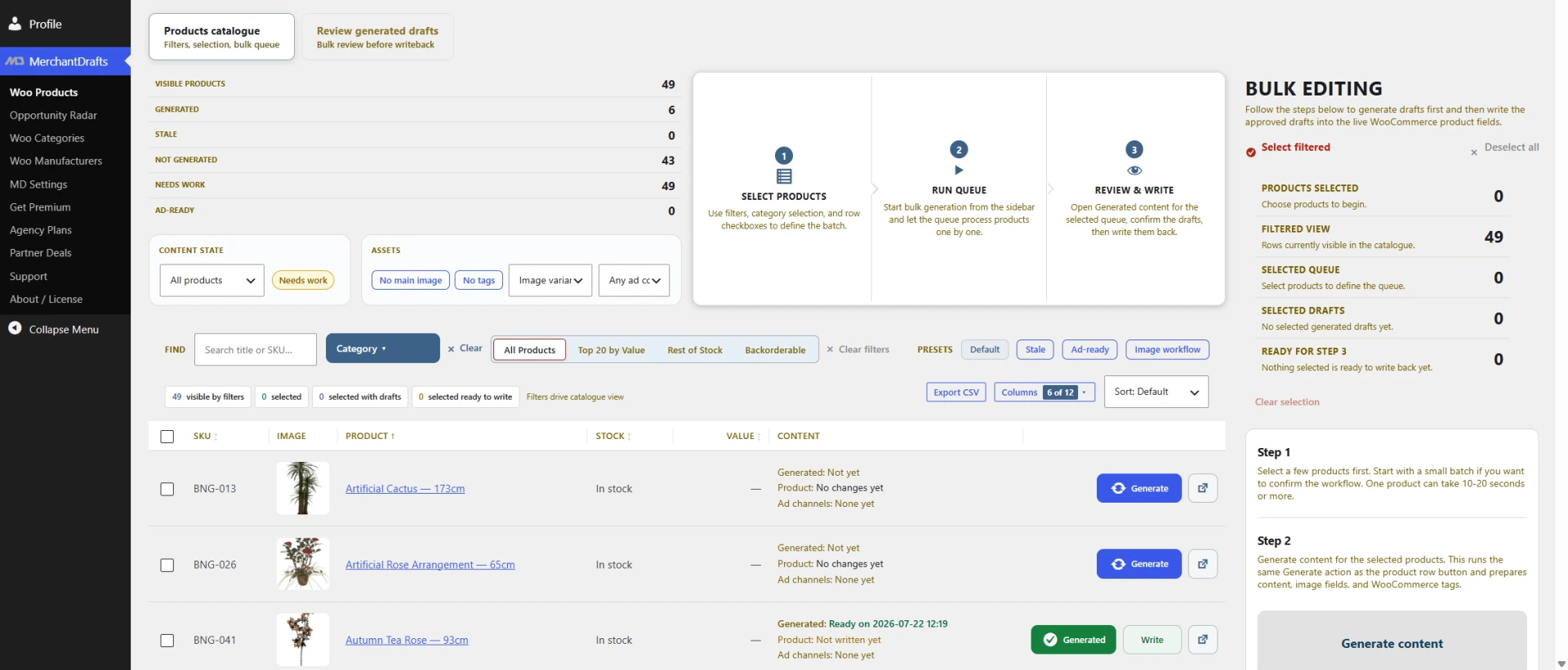
Build focused catalogue work from real product records
Filter the WooCommerce catalogue, select the products that need attention, and build a focused generation queue without moving product information into a disconnected writing tool.
- Work from the existing product catalogue, not a separate content database
- Use filters, saved views, and product states to focus the work
- Keep generation, review, and write-back as deliberate operator steps
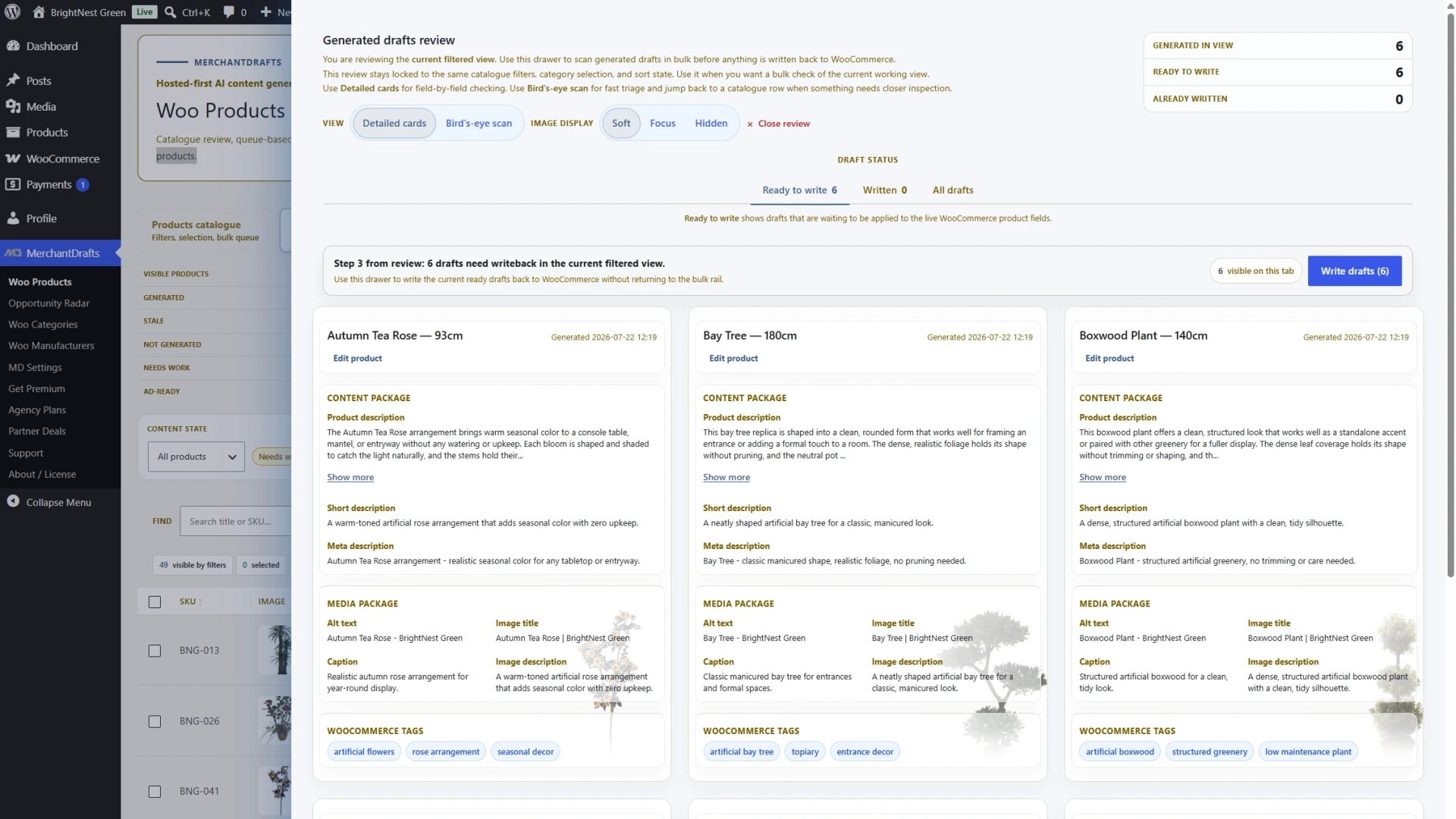
Review drafts in the catalogue workspace before you apply them
Generated product drafts remain visible in the workflow, so operators can inspect the work before writing supported content back to WooCommerce. The workspace makes the review step explicit instead of treating generation as the final action.
- Open detailed draft cards from the current catalogue view
- See selected drafts and current queue state in one workspace
- Write supported product content back only after review
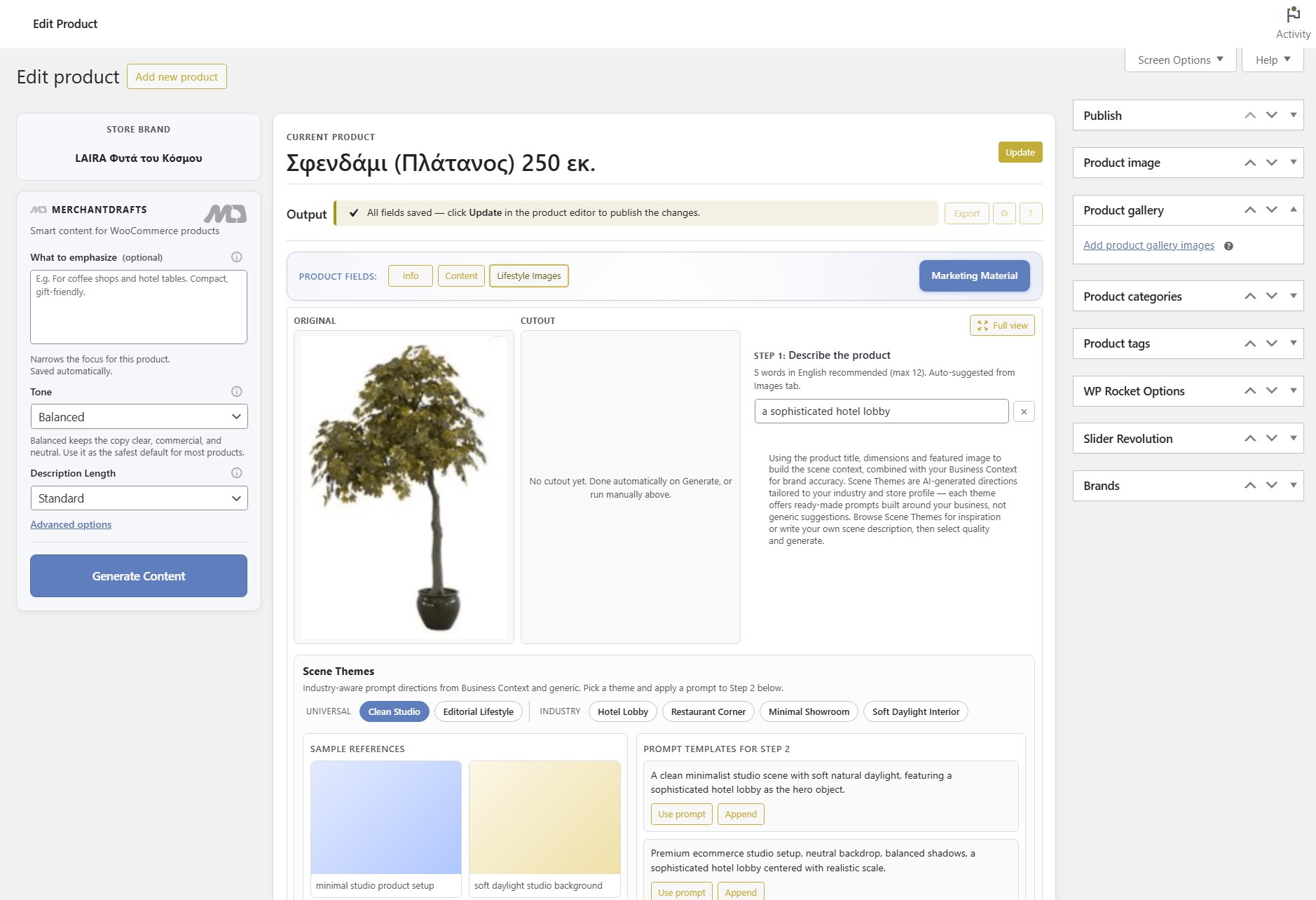
Extend the same product context into selected channel and image workflows
Product descriptions are the core job. When teams need adjacent outputs, MerchantDrafts can carry the same product context into selected channel copy and guided image workflows rather than making operators rebuild the brief from scratch.
- Selected channel outputs based on the existing product record
- Guided lifestyle-image workflow support where it is useful
- Keep related content work connected to the catalogue context
Shared catalogue context
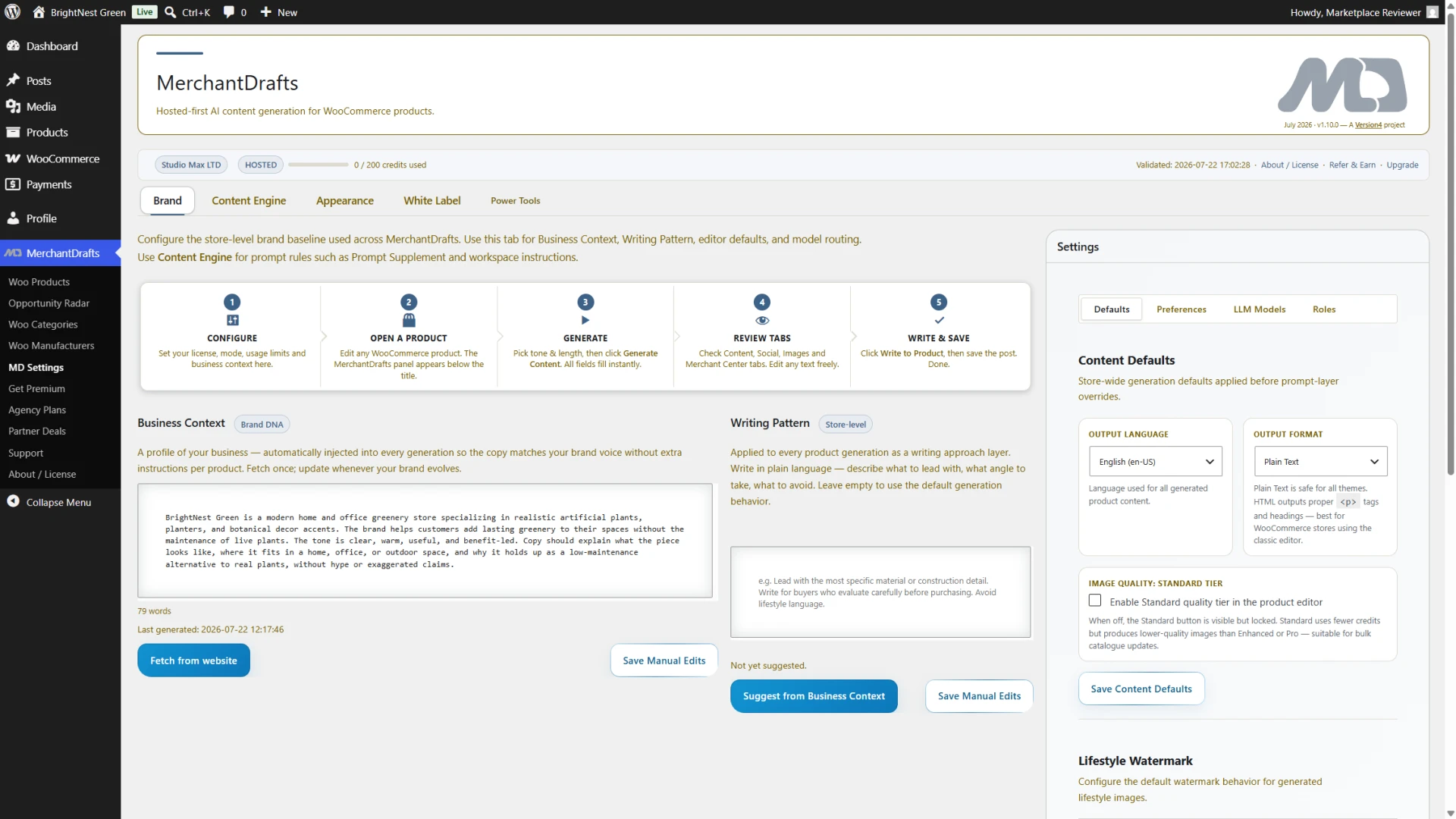
Set the shared brand and business context behind every draft
Business Context, Writing Pattern, and Product Emphasis give MerchantDrafts reusable direction before product work begins. This is what keeps the workflow tied to the store’s positioning instead of acting like a generic AI writer.
- Business Context establishes the store-level starting point
- Writing Pattern provides reusable structure and style guidance
- Product Emphasis lets operators set the relevant product angle
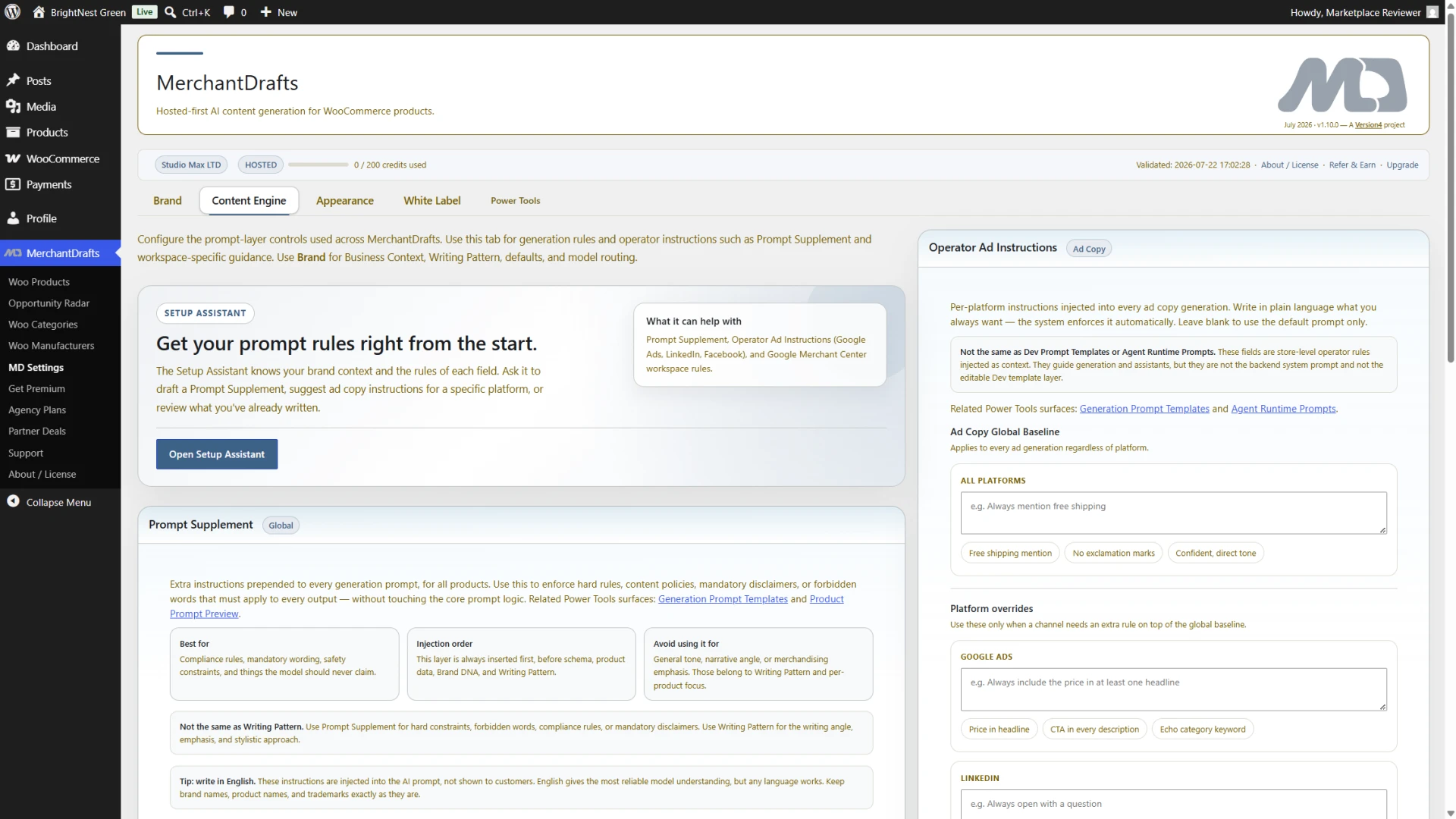
Keep reusable generation rules in the Content Engine
The Content Engine is the reusable rules layer behind the workflow: store-wide guidance, prompt supplements, and operator instructions that can be set once and reused without turning content operations into a prompt-management hobby project.
- Prompt Supplement holds store-wide rules and constraints
- Operator instructions keep relevant workflow guidance visible
- Setup Assistant supports initial configuration and refinement
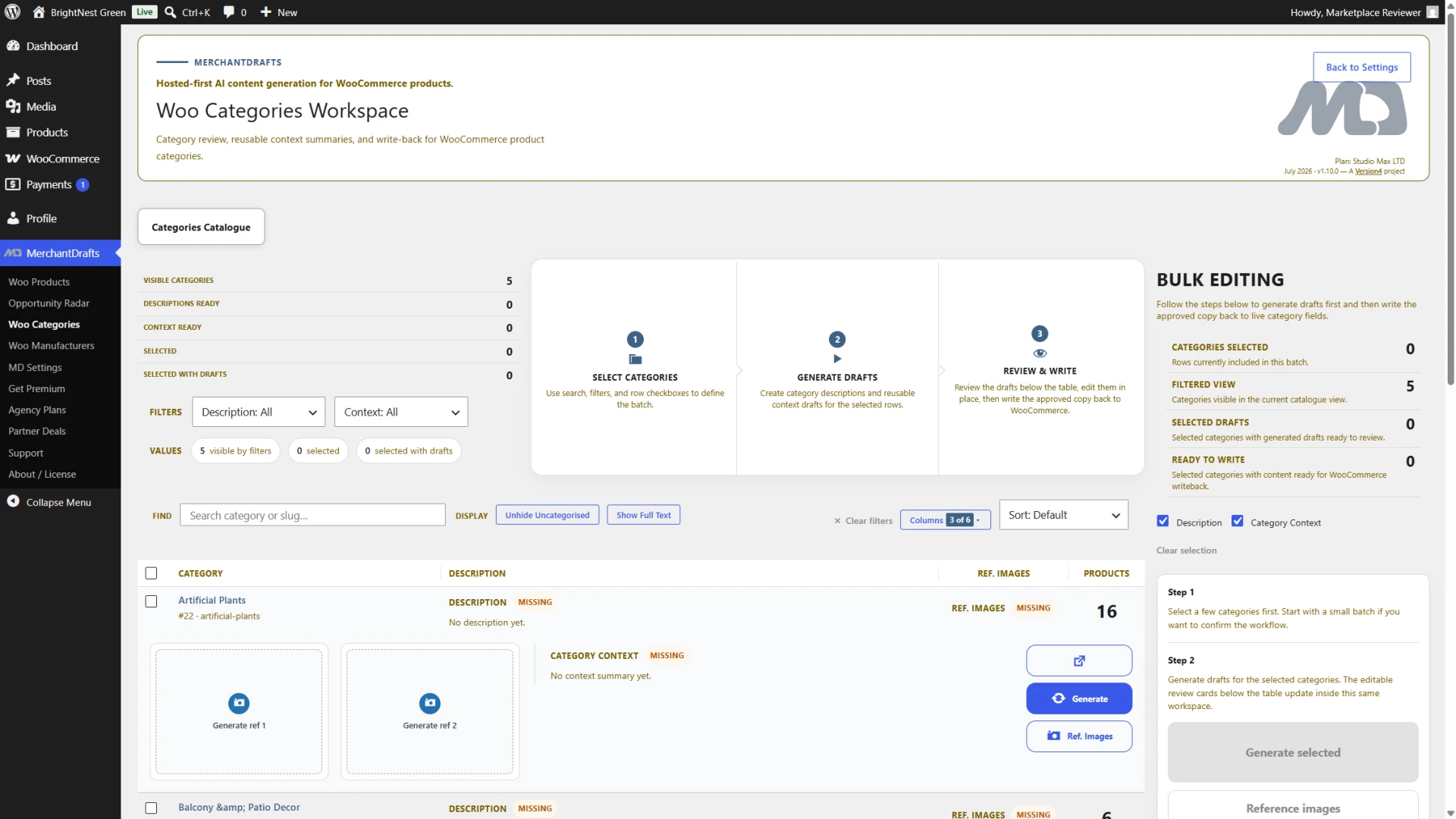
Give category and manufacturer context a place in the workflow
Categories and manufacturers have dedicated MerchantDrafts workspaces. Their descriptions and context can be prepared separately and made available to the wider product-content workflow when that context is relevant.
- Category descriptions and context can be prepared in their own workspace
- Manufacturer descriptions support reuse across the catalogue
- Both contexts can inform related product work when appropriate
Selected channel outputs
Use channel support when the product workflow needs it
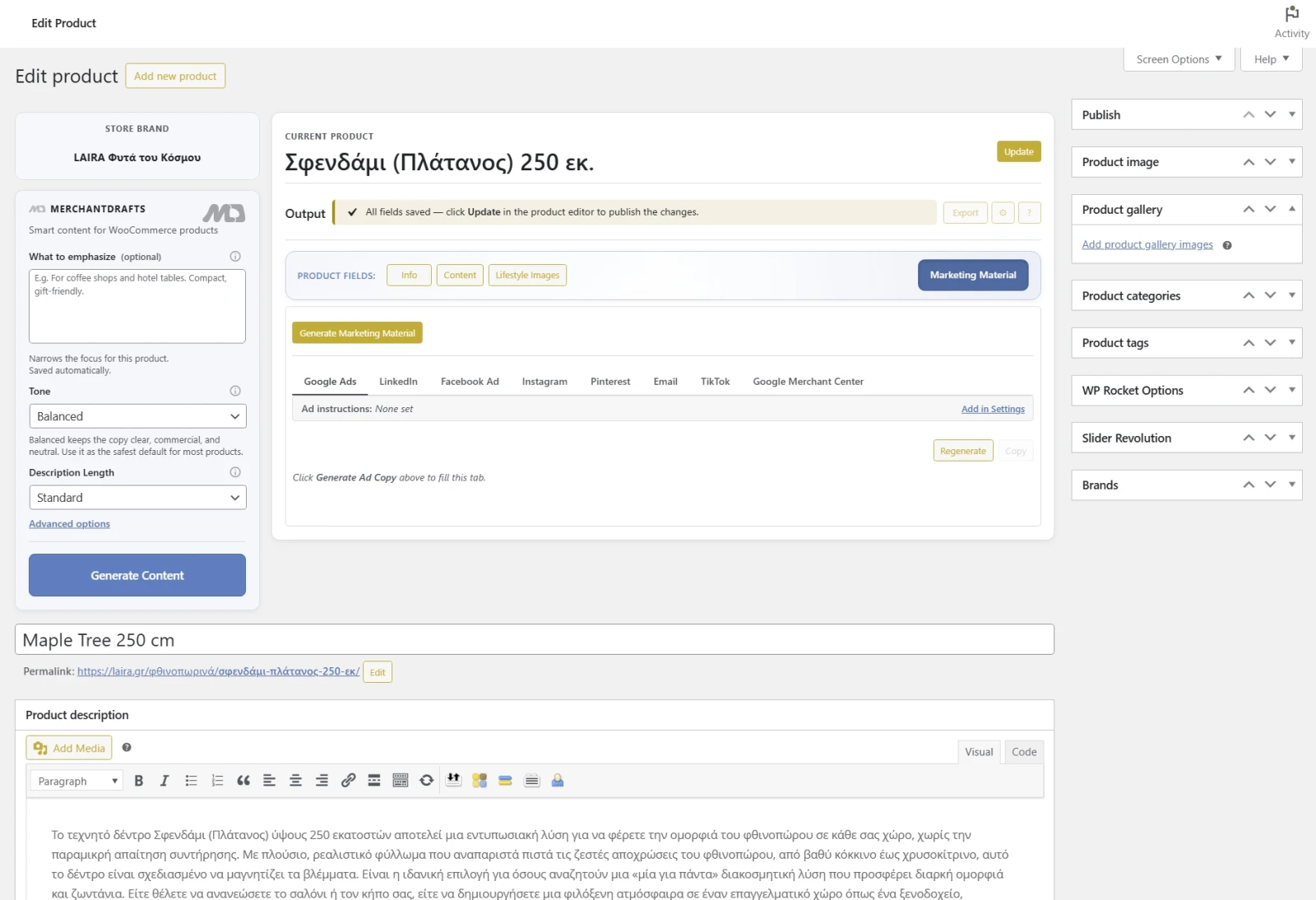
MerchantDrafts includes selected channel-specific helpers inside its connected-output workflow. They can help refine product-led copy for the relevant channel without making those outputs the centre of the catalogue operation.
Scale and advanced setup
Operate at catalogue level when one product at a time is too slow
Products Workspace gives operators a dedicated WooCommerce surface for building focused generation runs, tracking content status across the catalogue, and managing review and writeback as separate deliberate steps.
- Filter products and build focused generation queues
- Review generated drafts in structured cards before writeback
- Keep generation and catalogue update as separate operator decisions
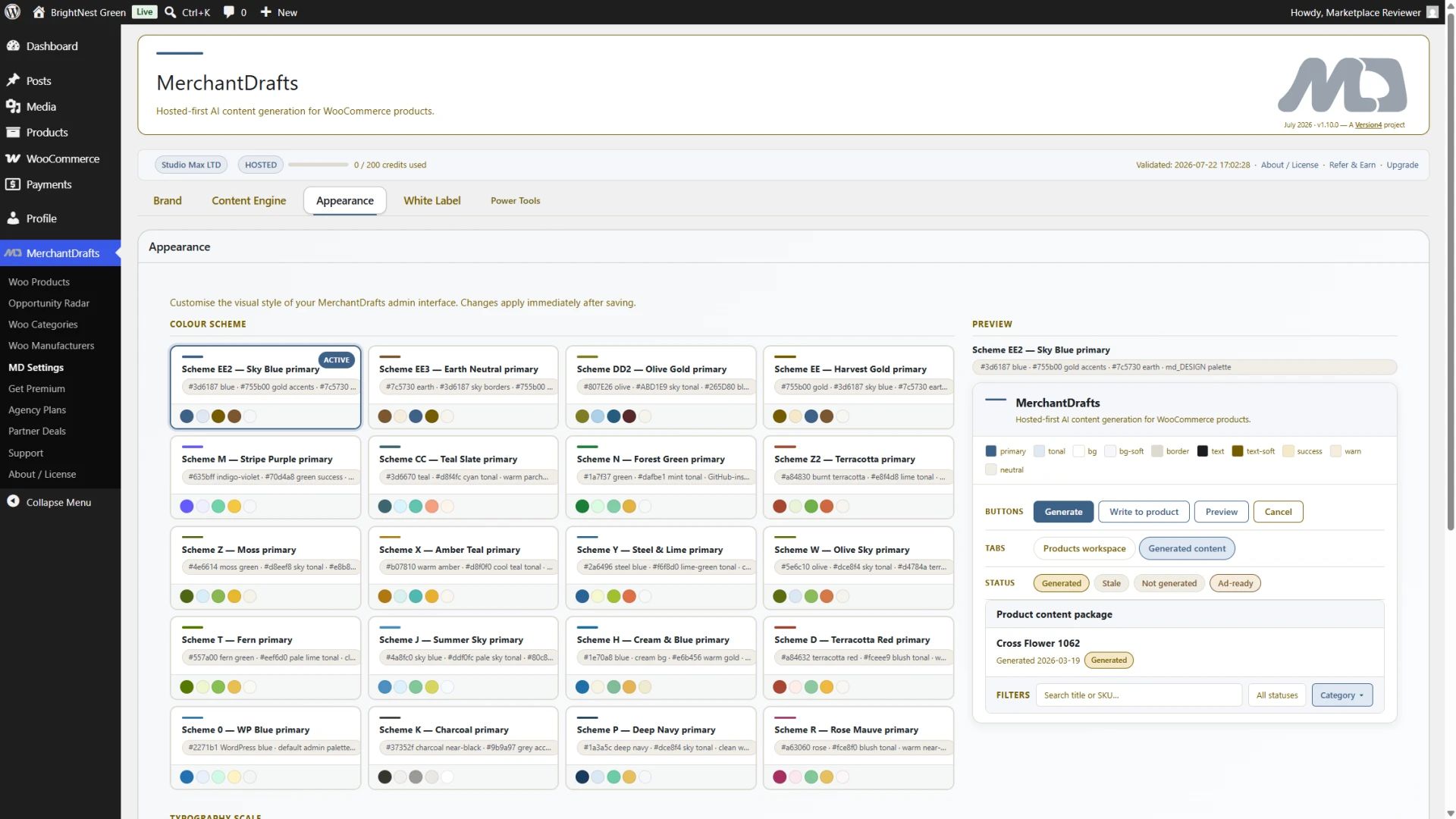
Rebrand the admin experience for client-facing delivery
Upper-tier agencies can apply White Label settings to present MerchantDrafts under their own brand inside client WooCommerce installs — without changing the core workflow model or limiting any generation capability.
- Admin name, logo, and colour controls available at agency tier
- Core generation workflow remains unchanged for client operators
- Useful for agencies delivering managed WooCommerce content operations
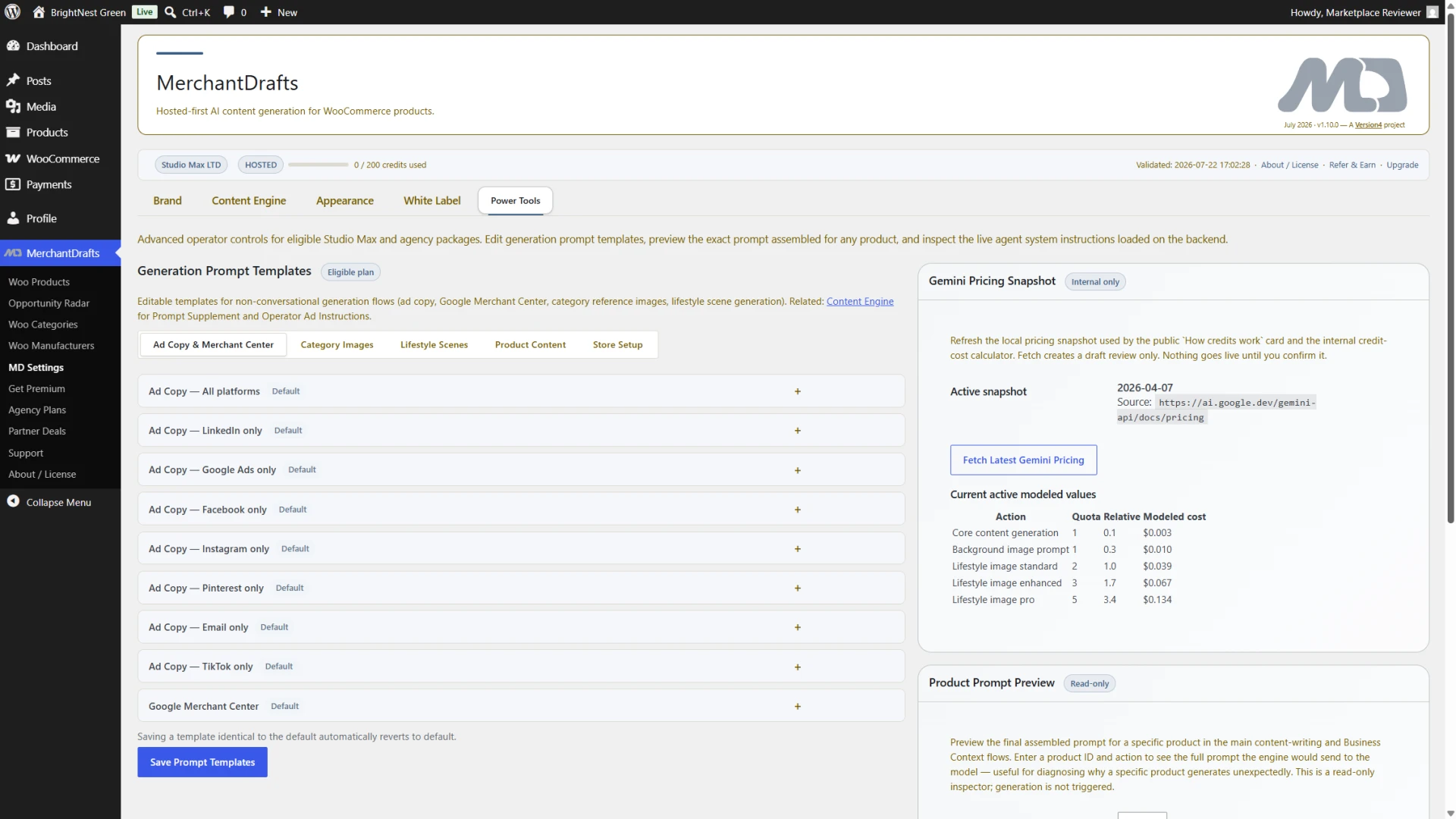
Advanced controls for operators who need more configuration depth
Power Tools exposes ad copy templates, advanced prompt controls, and operator-level configuration options for teams that need to go beyond the standard workflow. Available on higher-tier plans.
- Ad copy templates for consistent channel output at scale
- Advanced prompt configuration for edge-case product types
- Operator-level controls separate from store-wide Brand DNA
Bring your own API key for full runtime control
Hosted is the default operator path. For agencies or operators who need direct model routing, cost visibility, or API-level control, BYOK is available on agency-capable tiers — without changing any part of the generation workflow.
- Hosted works out of the box with no API key required
- BYOK available on advanced tiers for runtime transparency
- Model preferences affect routing, not your Brand DNA strategy
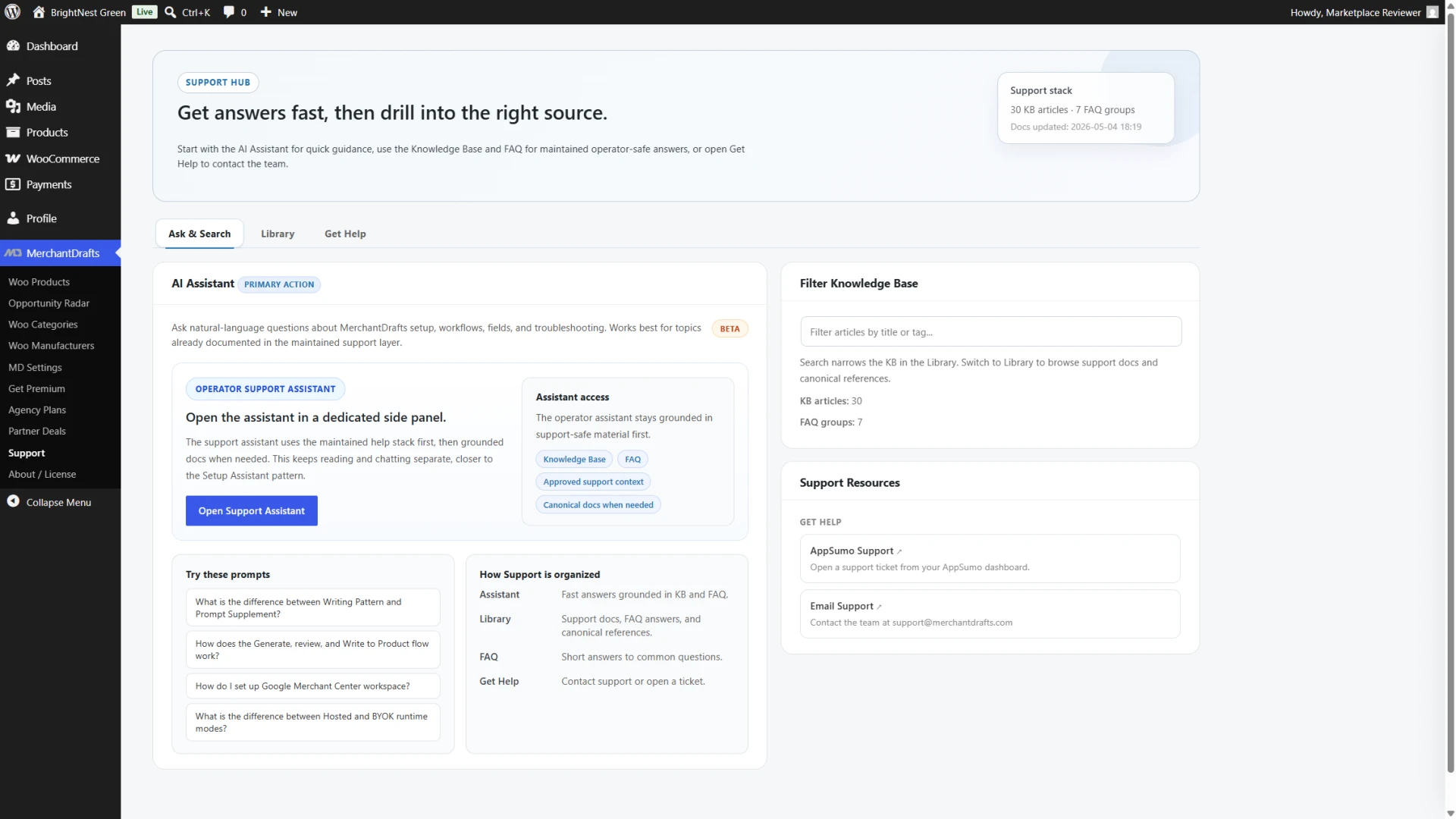
Get answers without leaving the WooCommerce workflow.
Ask and Search brings product guidance, knowledge-base discovery, and the right support route into the plugin, so operators can resolve common workflow questions where the work happens.
- Ask practical questions about setup and day-to-day workflow.
- Search the knowledge base without leaving wp-admin.
- Move to the appropriate support route when a team needs help.