Brand description
WooCommerce manufacturer page copy
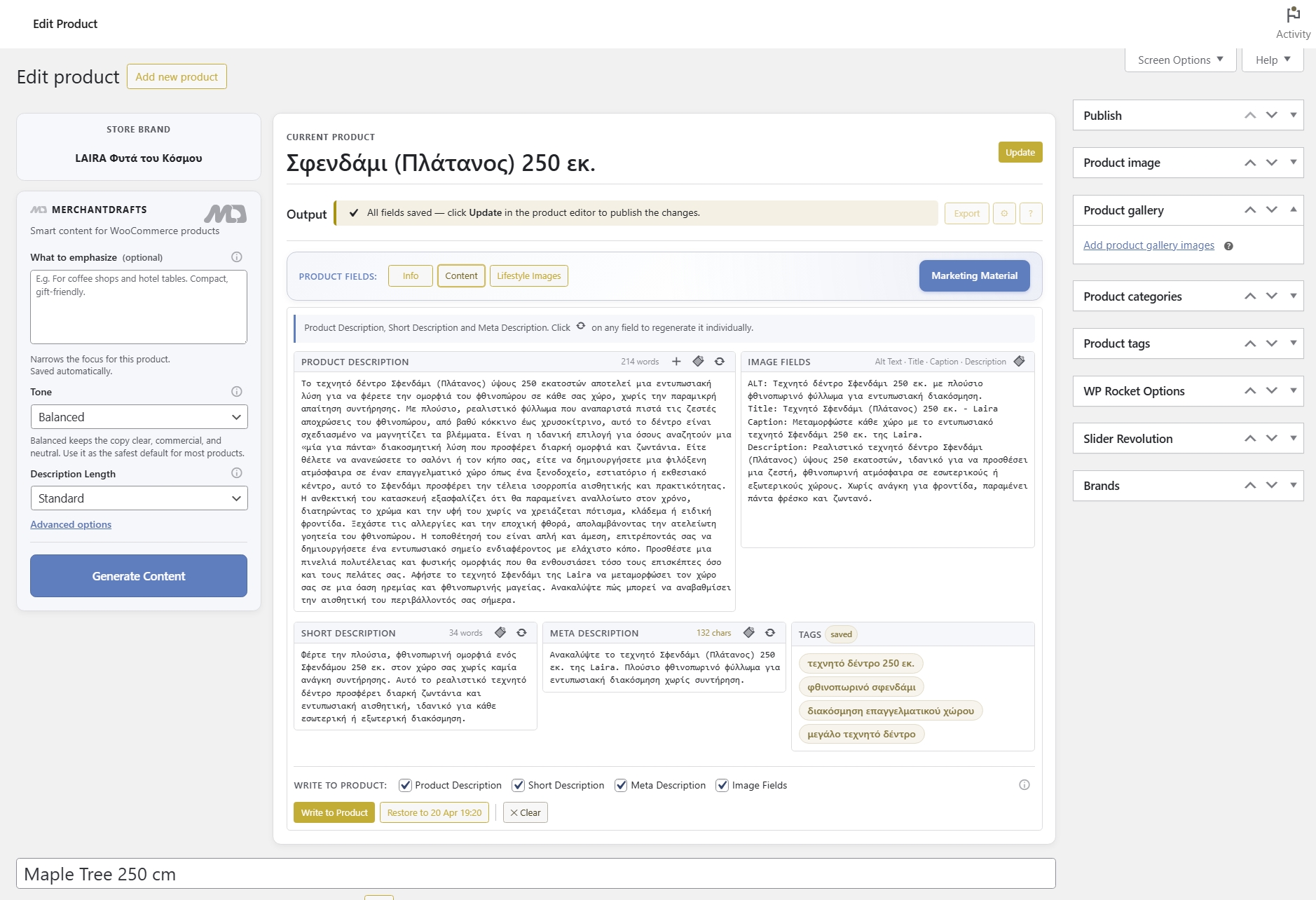
Generate the full WooCommerce manufacturer description field for each brand in the batch, shaped by the brand's own Manufacturer Description context.
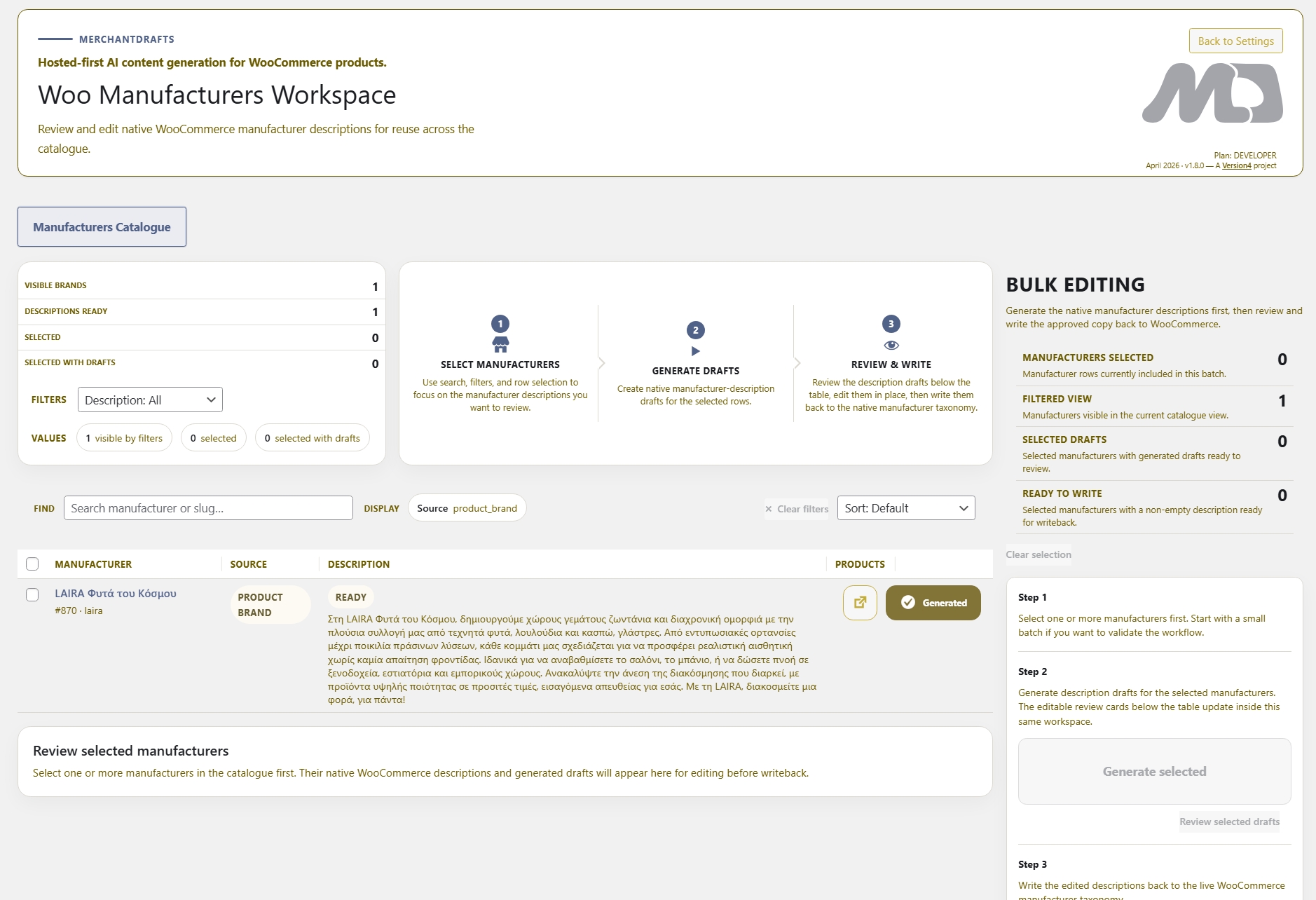
MerchantDrafts gives manufacturer descriptions their own workspace, so teams can prepare and reuse brand context across related products. Review generated descriptions in the workspace before writing selected content back to WooCommerce.
01
Filter the manufacturer list to the brands that are missing page copy or need updated descriptions before building the generation queue.
02
Run batch generation across the manufacturer queue using Business Context and Manufacturer Description as the primary prompt layers for each brand.
03
Open the review drawer for each brand, edit the draft copy if needed, and write back only the descriptions you approve to the live WooCommerce manufacturer pages.
On this page
Manufacturers Workspace generates page copy for every brand in the selected batch. Output is shaped by Business Context and the Manufacturer Description prompt layer — so each brand page reflects the brand's actual positioning rather than a generic AI description based only on the brand name.
Brand description
Generate the full WooCommerce manufacturer description field for each brand in the batch, shaped by the brand's own Manufacturer Description context.
SEO copy
Prepare meta description copy for manufacturer pages so brand SEO coverage is handled in the same batch workflow as the main page content.
Batch coverage
Process the full manufacturer list in one queue instead of visiting each WooCommerce brand page individually to write descriptions by hand.
Brand voice and positioning applied as the store-wide baseline for every manufacturer page generated in the batch.
Per-brand context notes that describe the manufacturer's range, origin, or positioning — used as the primary context layer for each brand page.
Store-level structure and style rules applied consistently so manufacturer page descriptions use the same sentence rhythm and vocabulary across all brands.
Choose how formal or editorial brand page copy should be and control whether descriptions are compact introductions or longer brand narrative blocks.
Before
After
Generation is not publishing.
MerchantDrafts keeps review and writeback as separate steps so no generated brand page copy touches live WooCommerce manufacturer entries until the operator approves it.
Manufacturers Workspace is designed for stores with a large brand catalogue where manufacturer page descriptions have been left empty or are inconsistent. Process brands in batch, use per-brand context layers, and write back only what has been reviewed.
01
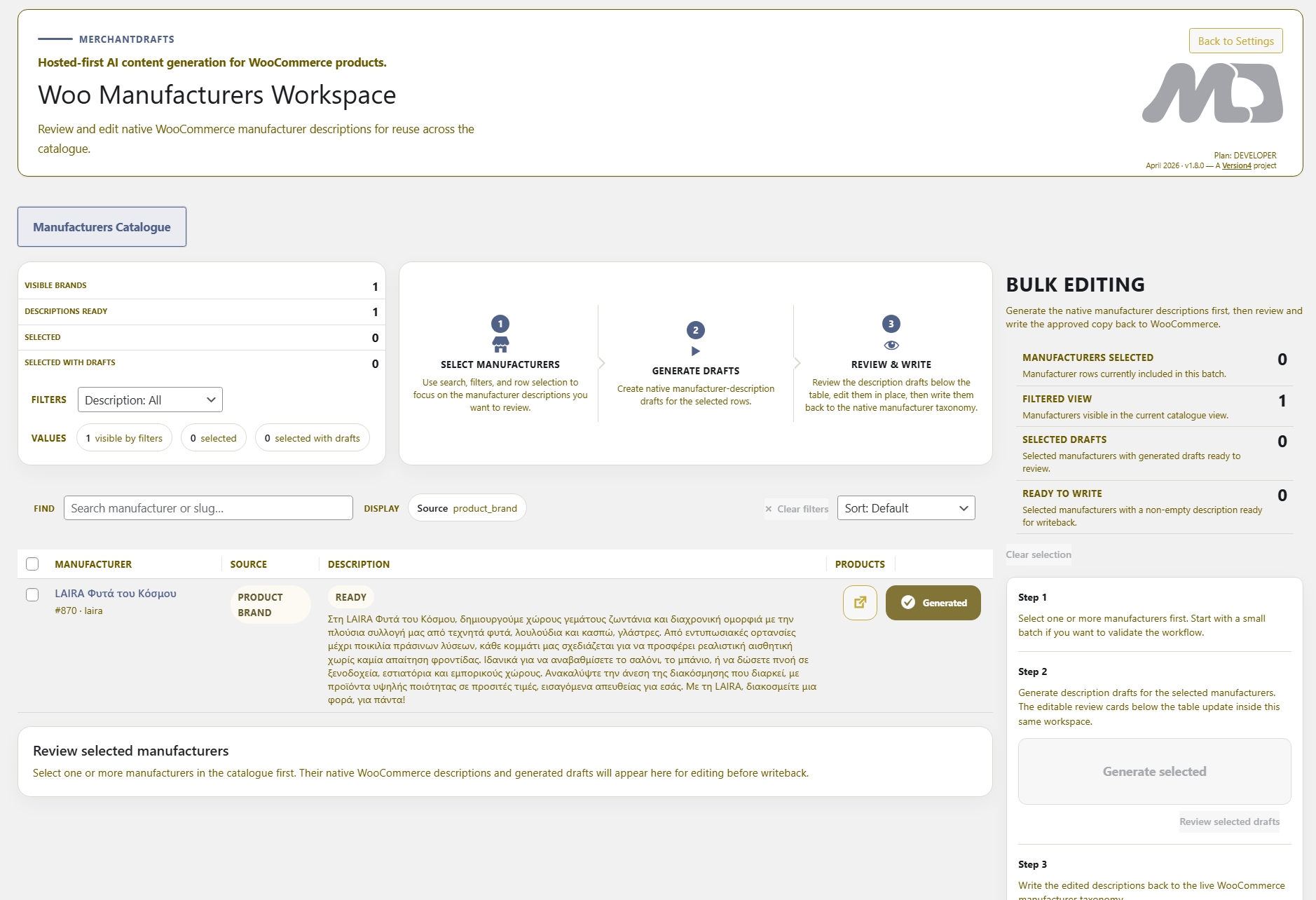
Generate descriptions across the full manufacturer list in one batch run instead of editing each WooCommerce brand entry individually through the term editor.
02
Open the review drawer per brand, read the generated description, edit if needed, and write back only the copy you approve — brand by brand, in sequence.
03
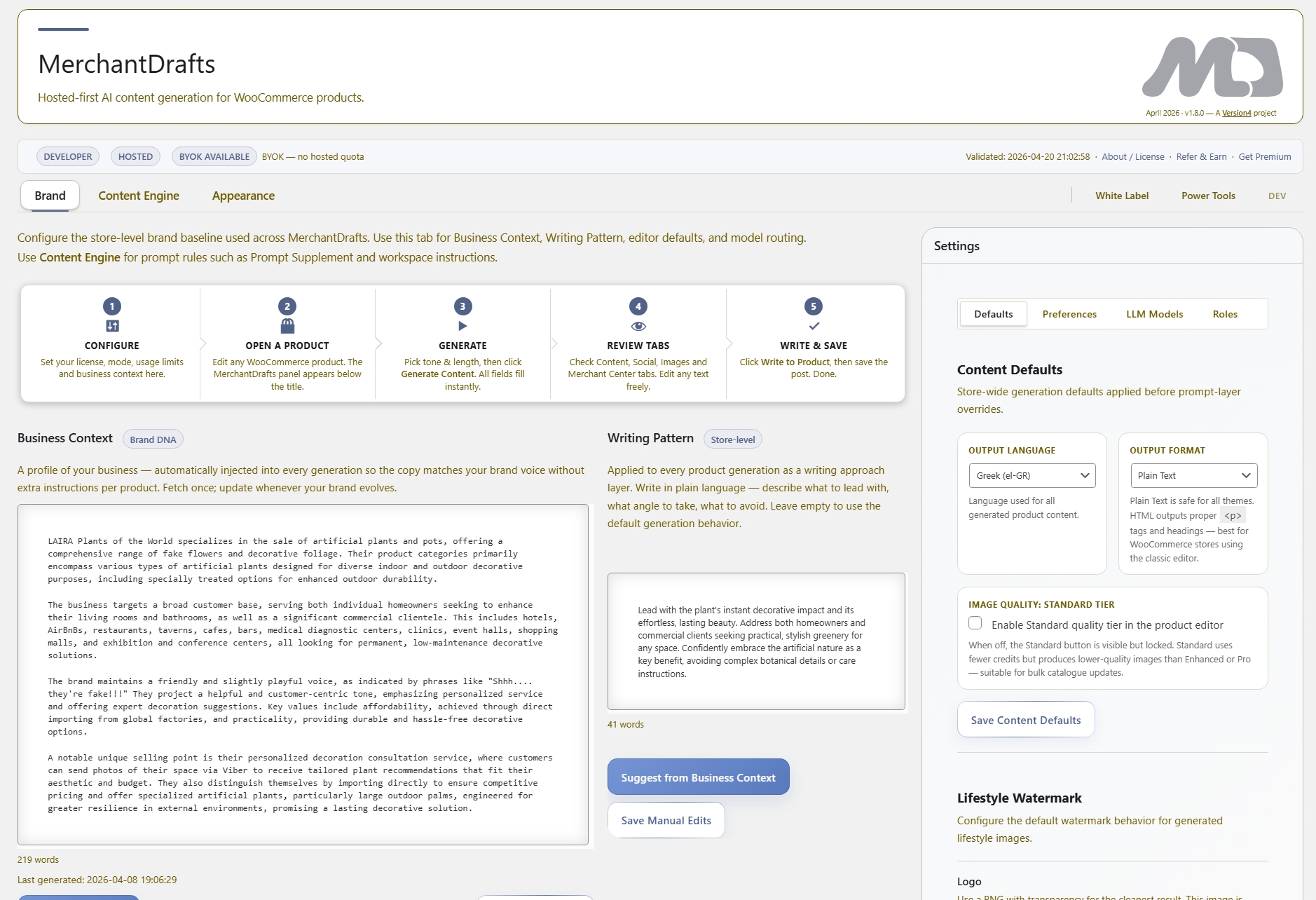
Apply Business Context and Writing Pattern to the full batch so every brand page reads from the same store voice baseline rather than producing uneven copy brand by brand.
04
Set Manufacturer Description notes per brand so each brand page is generated using its own positioning context rather than just the store-wide Business Context applied uniformly.
05
Scope the batch to the brands that actually need content — by empty description status or brand name — before running generation across the full manufacturer list.
06
Live WooCommerce manufacturer page fields are updated only when the operator approves a specific brand description — not automatically after the batch generation completes.
Manufacturers Workspace sits alongside the product and category workspace tools. These related surfaces cover the operator jobs that run in parallel with brand page content upkeep.
Operate
Generate product titles, descriptions, and metadata in batch across a filtered catalogue slice using the same review-before-writeback model.
Operate
Generate category descriptions and SEO copy across the WooCommerce taxonomy in batch using the same filter-generate-review workflow.
Generate
Generate individual product content from the WooCommerce product editor when a single-product flow is needed rather than a batch workspace run.
Generate
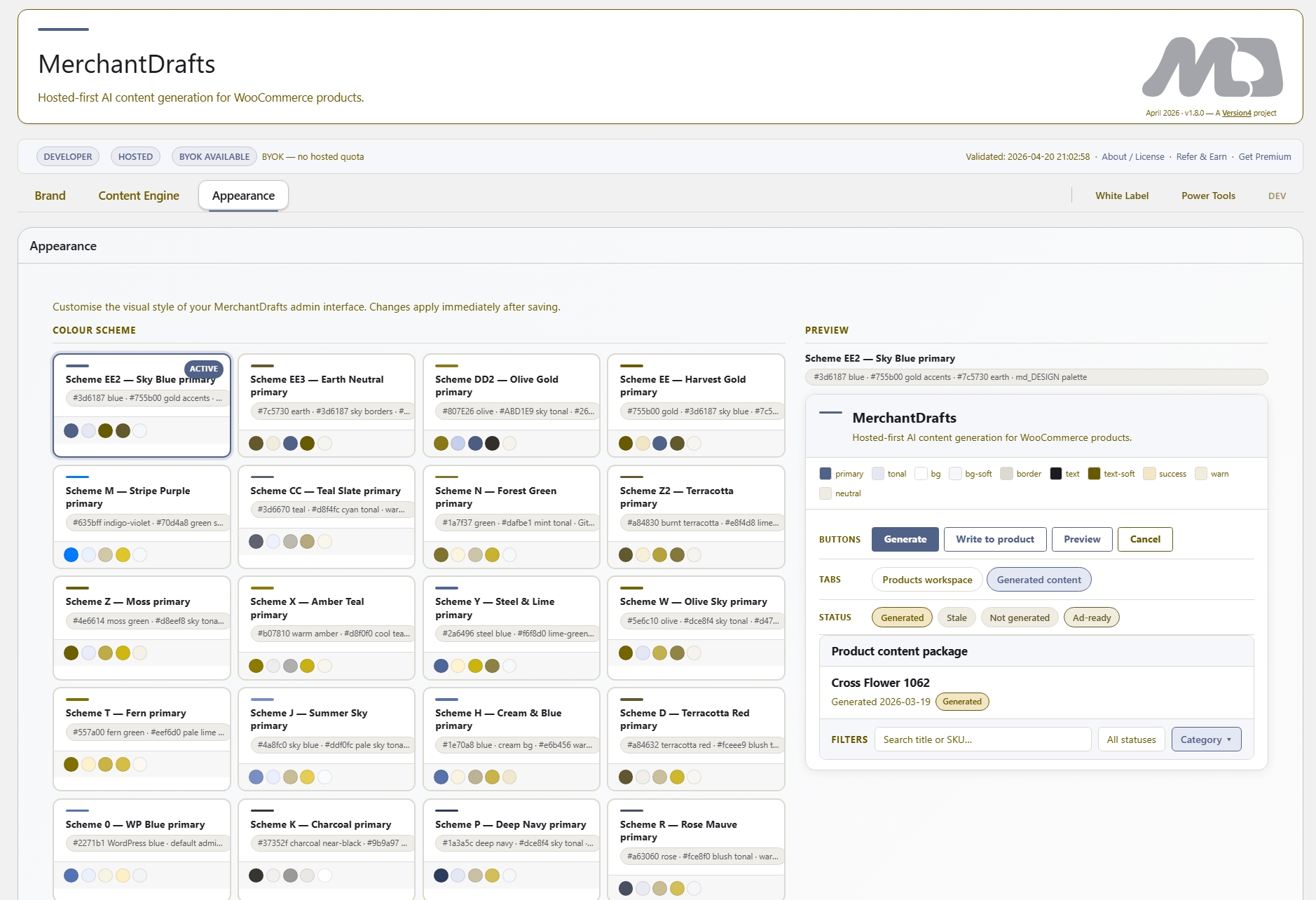
Use Business Context, Manufacturer Description, Writing Pattern, Tone, and Description Length to shape output before running any generation batch.