Store-level
Business Context
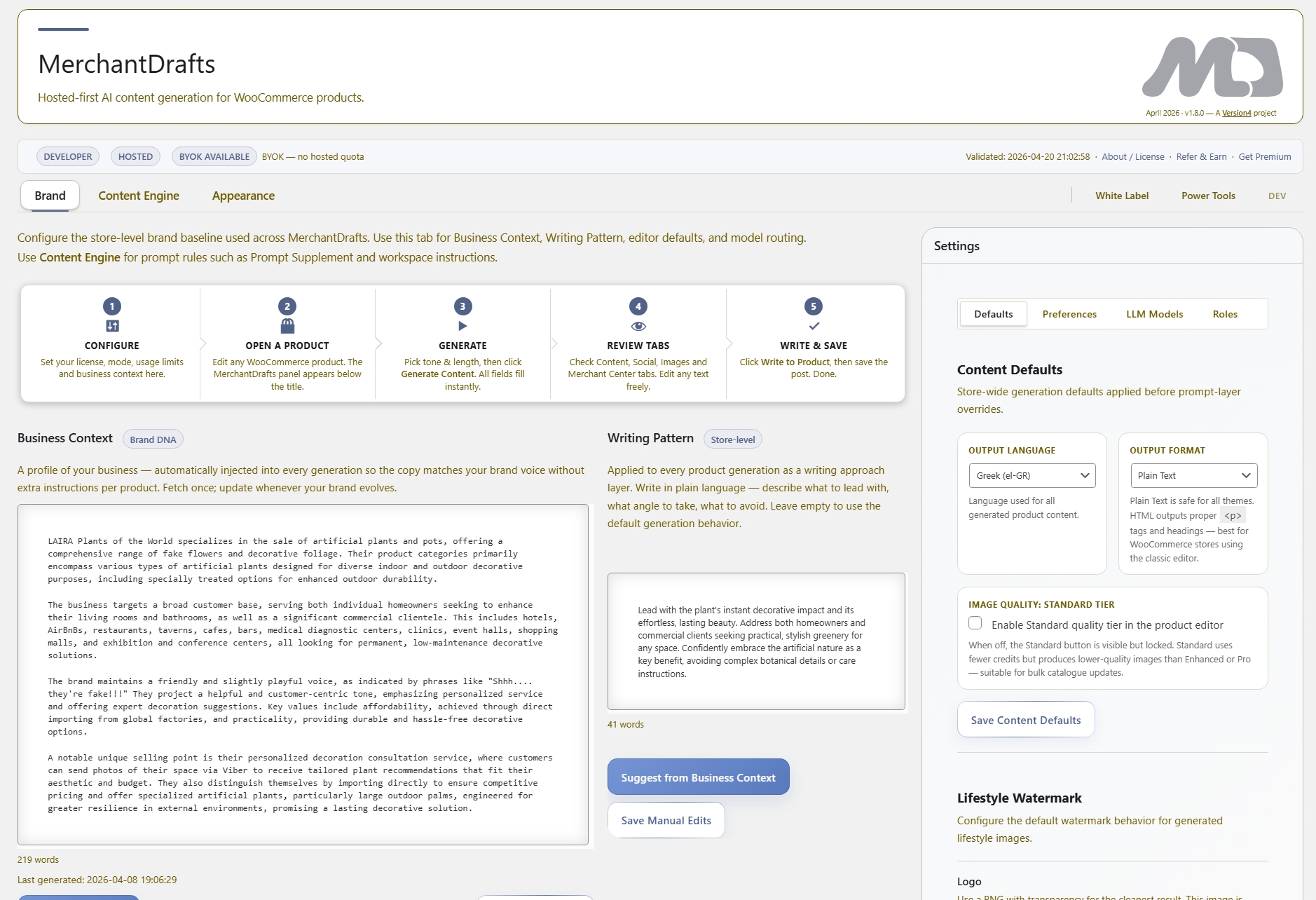
Your brand voice, positioning, and target audience. The dominant baseline layer applied to every generation run across the store.
Business Context, Writing Pattern, Product Emphasis, and related context controls give operators reusable direction before drafts are generated. This keeps product work closer to the store’s standards without asking teams to rewrite the same instructions for every product.
01
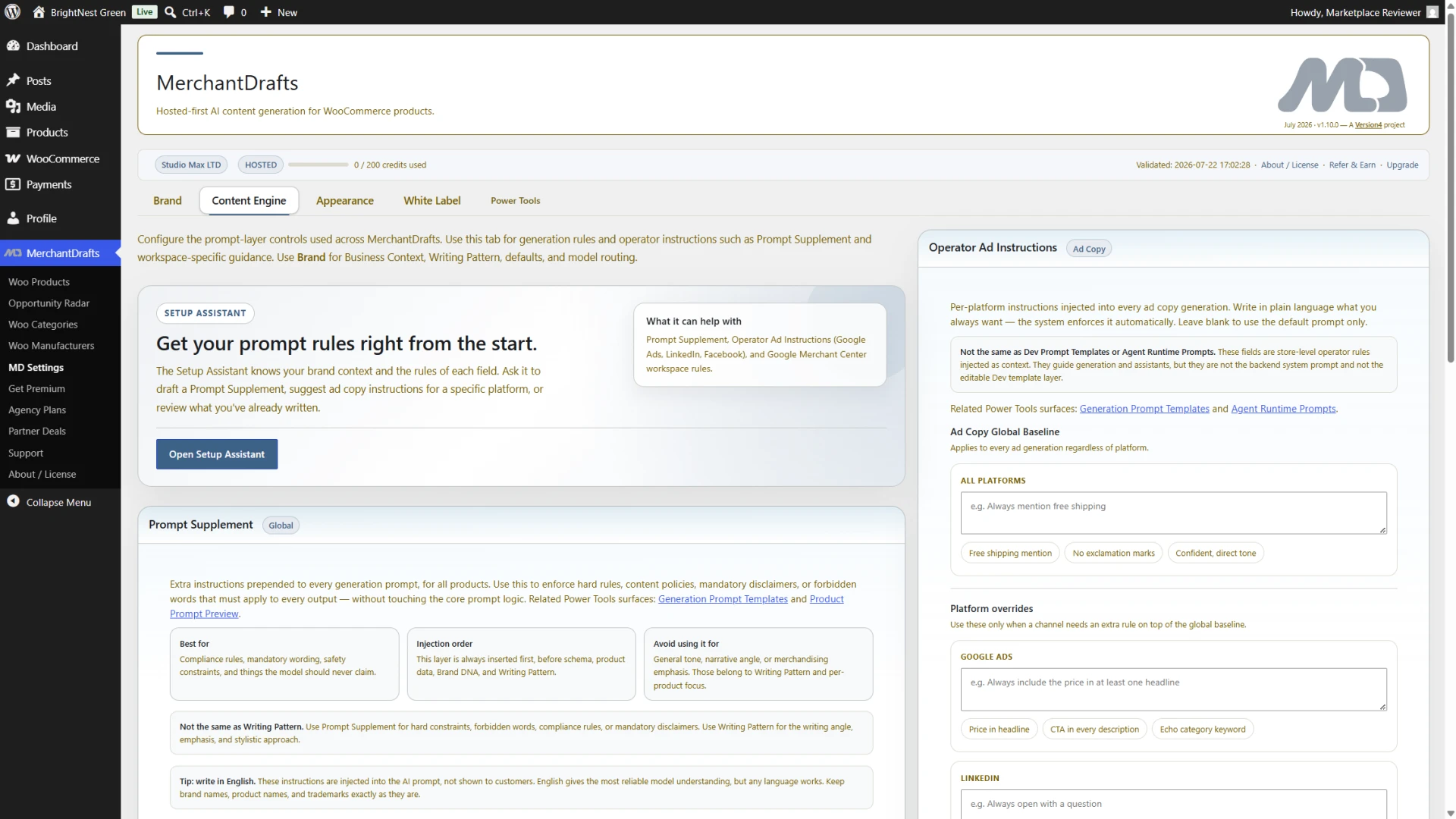
Configure Business Context, Writing Pattern, and Category Context once at the store level — they apply automatically to every generation run.
02
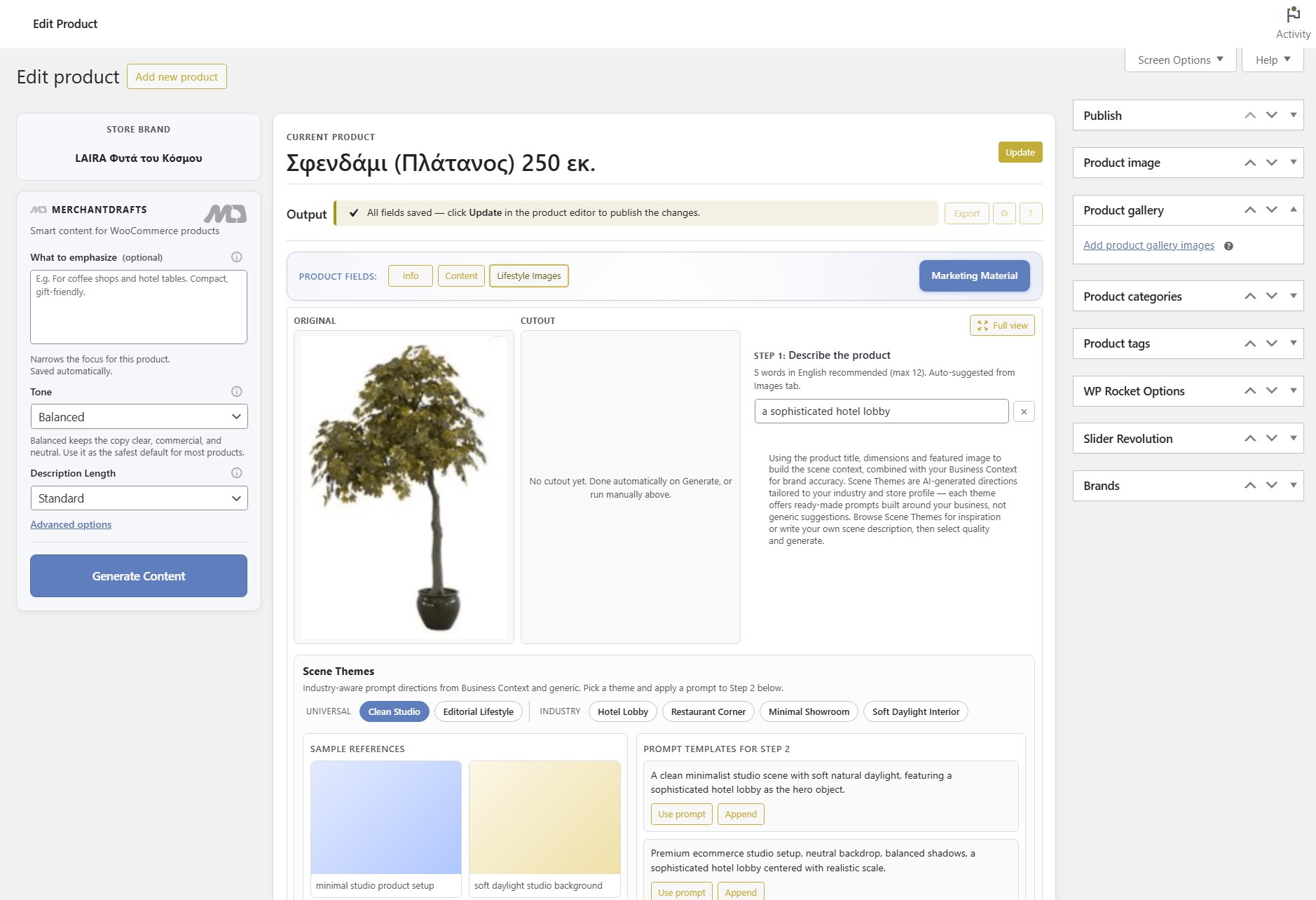
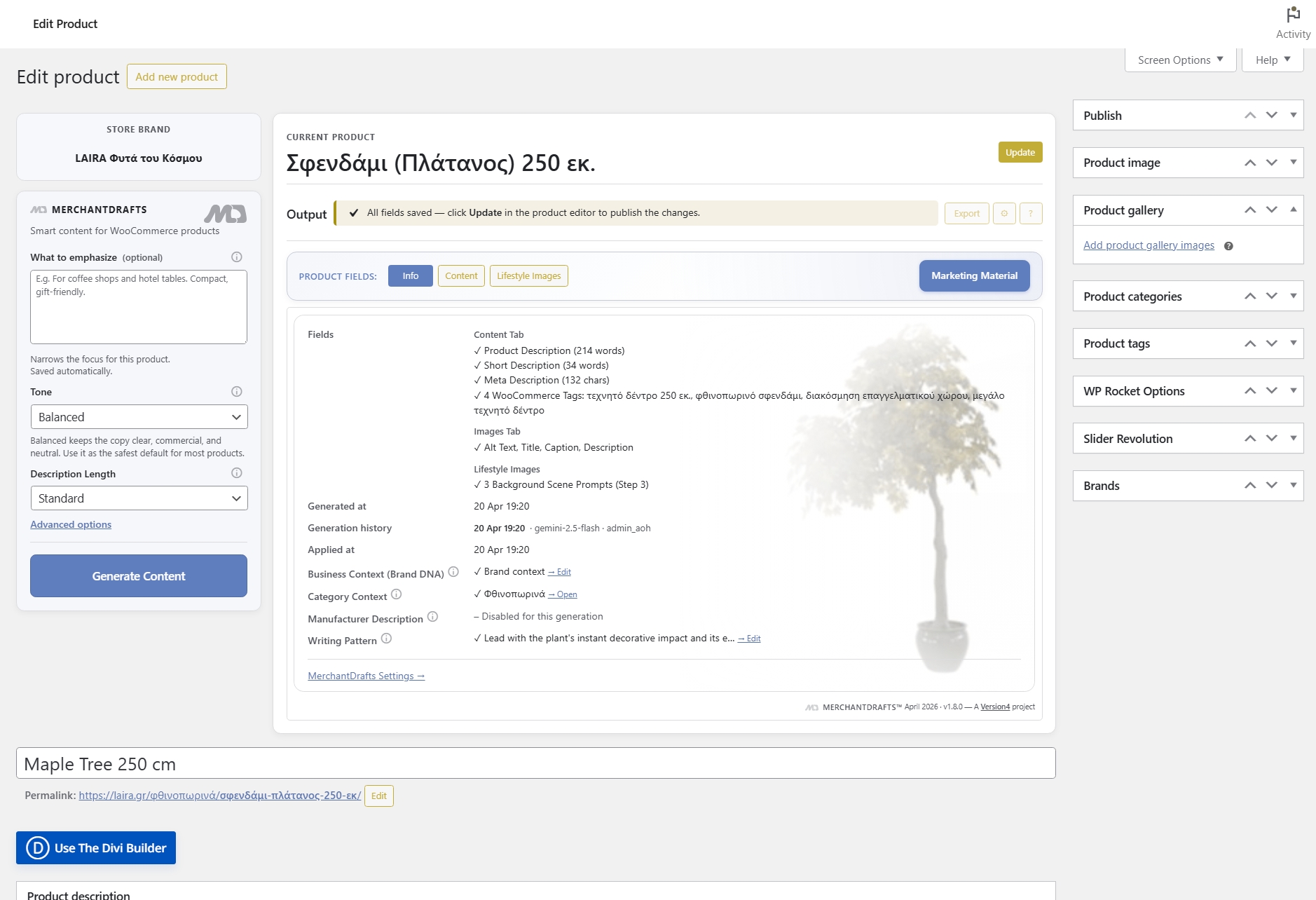
Use the left-side panel to set tone, description length, and what to emphasise for the specific product before running generation.
03
Run generation knowing the controls are set — output reflects your store voice, emphasis choices, and context without manual cleanup after the fact.
On this page
The left-side panel in MerchantDrafts gives operators a structured set of inputs that the generation engine reads before producing any output. Store-level settings like Business Context and Writing Pattern apply automatically; product-level inputs like Tone, Emphasis, and Description Length let you adjust for the specific SKU without changing the baseline.
Store-level
Your brand voice, positioning, and target audience. The dominant baseline layer applied to every generation run across the store.
Store-level
Store-level structure and style rules — sentence rhythm, vocabulary register, and formatting preferences that keep output consistently on-brand.
Category-level
Category-specific positioning and copy direction that refines the store baseline for all products in that category without overriding it.
Set the overall register — formal, conversational, promotional — for the generation run. Overrides the store default for that product.
Control how compact or detailed the generated output is — short for simple products, extended for feature-rich SKUs.
Direct the generation engine toward specific product attributes — materials, use cases, certifications, or price-positioning — for this SKU.
Provide the raw manufacturer copy as additional context so the engine can draw on spec details without treating them as the final voice.
Before
After
Controls set before generation, not fixed after.
The seven layers in the left-side panel shape output before the engine runs — so operators spend less time editing generated copy and more time reviewing it.
Generation controls exist so operators do not have to rebuild context for every product or manually fix output that drifted from the store voice. Set the layers once, adjust where needed, and let the engine do the rest.
01
Business Context and Writing Pattern are configured at the store level and applied automatically to every generation run — no rebuilding context for each product.
02
Tone, description length, and emphasis can be changed per product in the left-side panel without touching the store-level Business Context or Writing Pattern.
03
Because Business Context and Writing Pattern are persistent layers, descriptions stay aligned across products instead of drifting into generic AI language with each new run.
04
Output shaped by seven control layers before generation starts needs less manual correction — operators review rather than rewrite, which is the faster workflow.
05
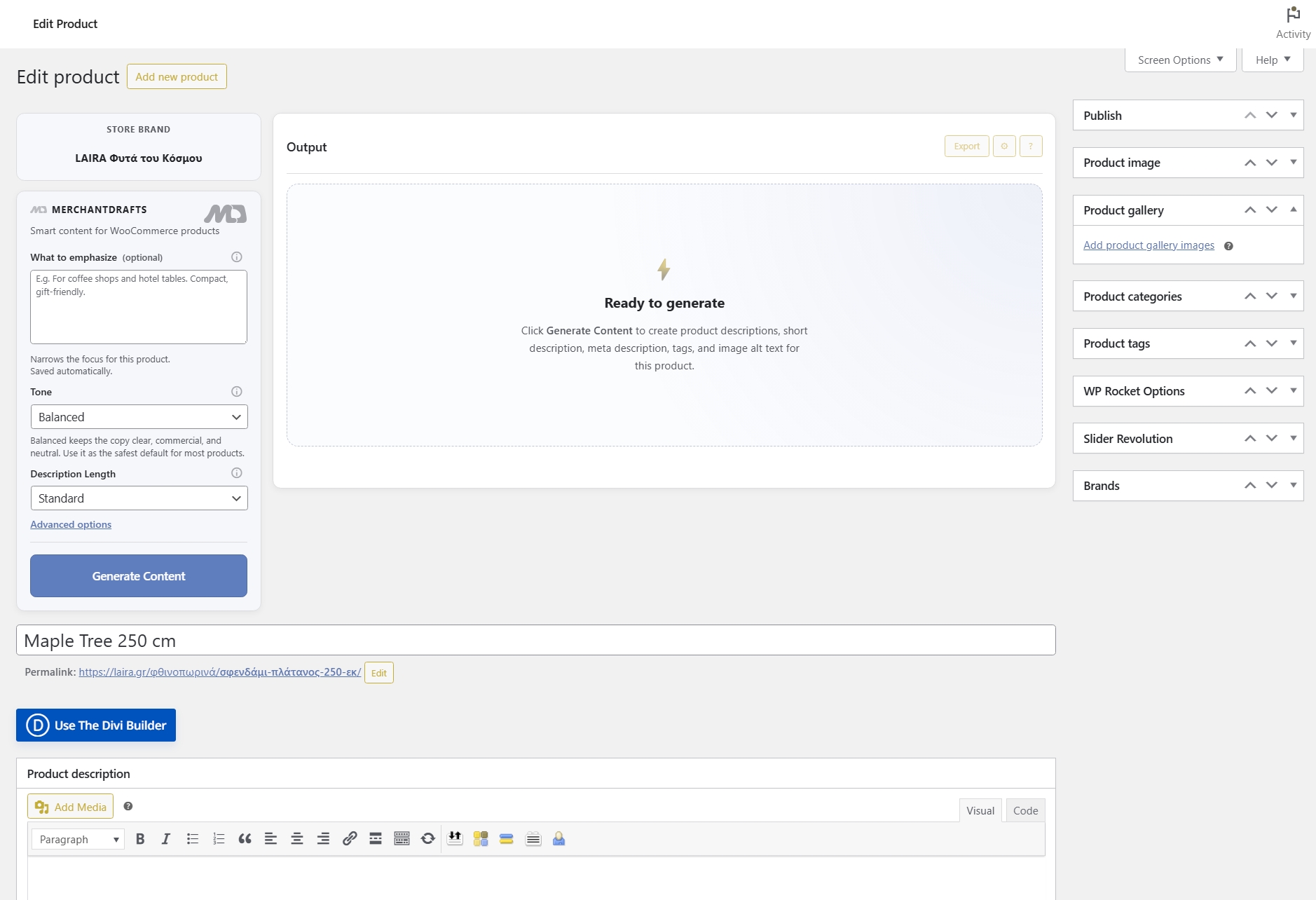
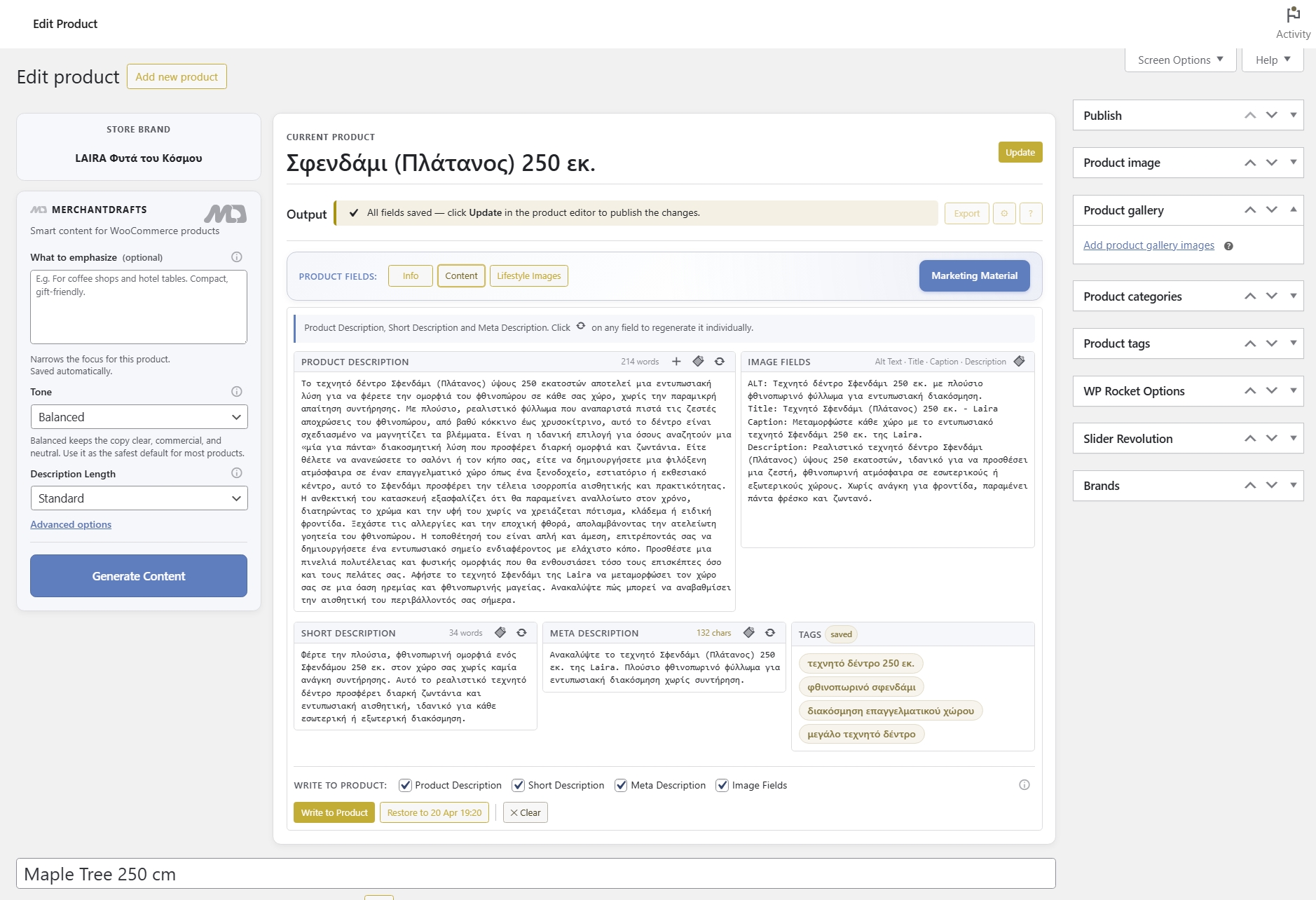
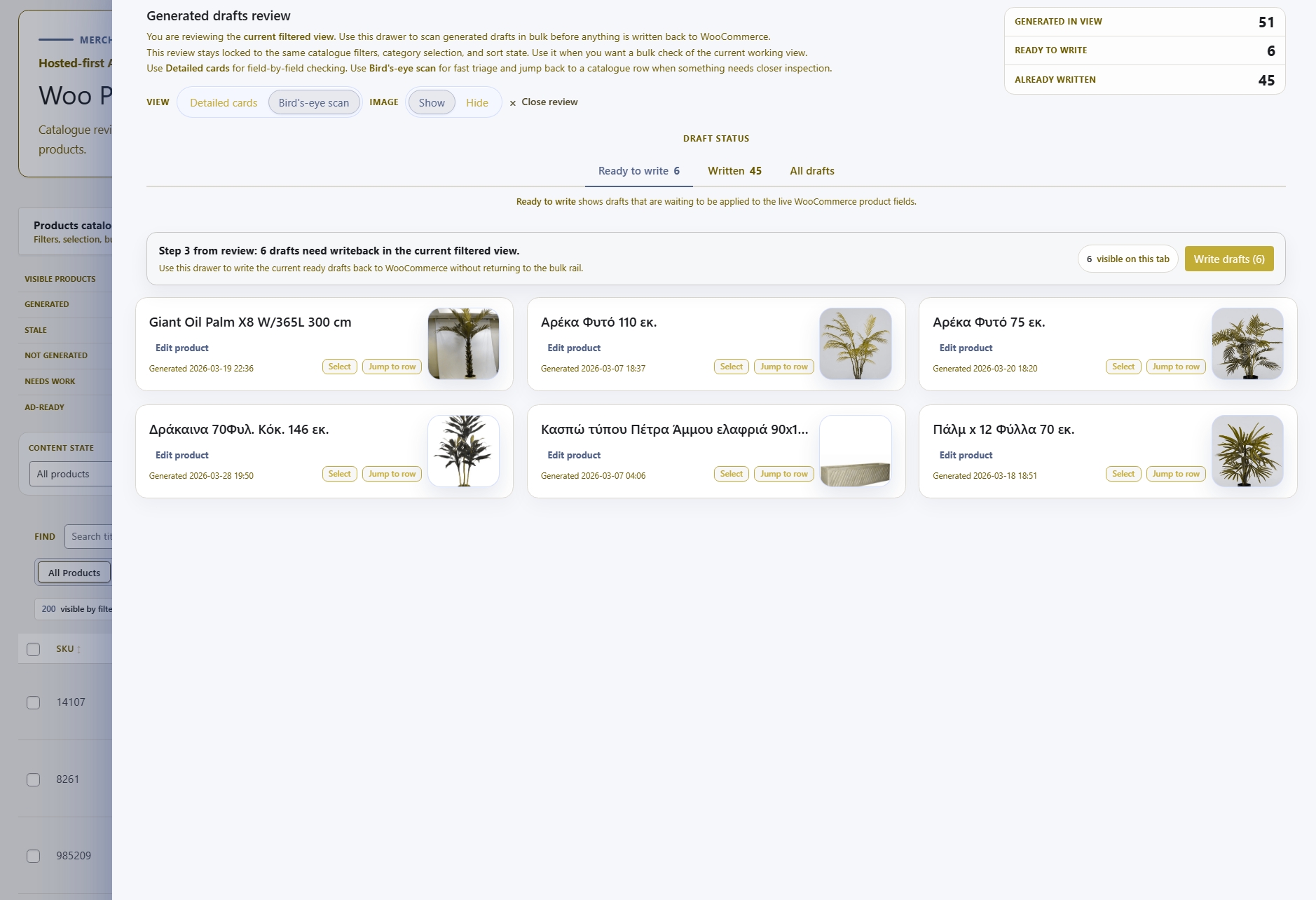
The same control layers feed Content Generation, Marketing Material, and Lifestyle Images — so tone and context stay consistent whether you are generating copy, campaign material, or image prompts.
06
Operators configure controls inside MerchantDrafts rather than crafting AI prompts manually — the system translates those inputs into structured generation instructions.
Generation Controls feed every generation surface in MerchantDrafts. These are the workflows operators run after setting their context layers.
Content
Generate product titles, descriptions, image metadata, and tags — shaped by the context layers you configured.
Content
Generate platform-ready promotional copy from product context — the same control layers apply here too.
Content
Set up lifestyle scenes with real operator control — context layers shape image prompts the same way they shape copy.
Intelligence
See how the full prompt layer architecture — business, category, and product levels — structures what the generation engine receives.