Prompt templates
Editable generation prompt templates
Edit the prompt templates that instruct the model on how to generate content — across product, category, and manufacturer generation flows.
Power Tools exposes selected advanced configuration surfaces for operators who need more control than the standard workflow provides. It is intended for specific operational requirements, while the core hosted workflow remains the simpler starting point for most teams.
01
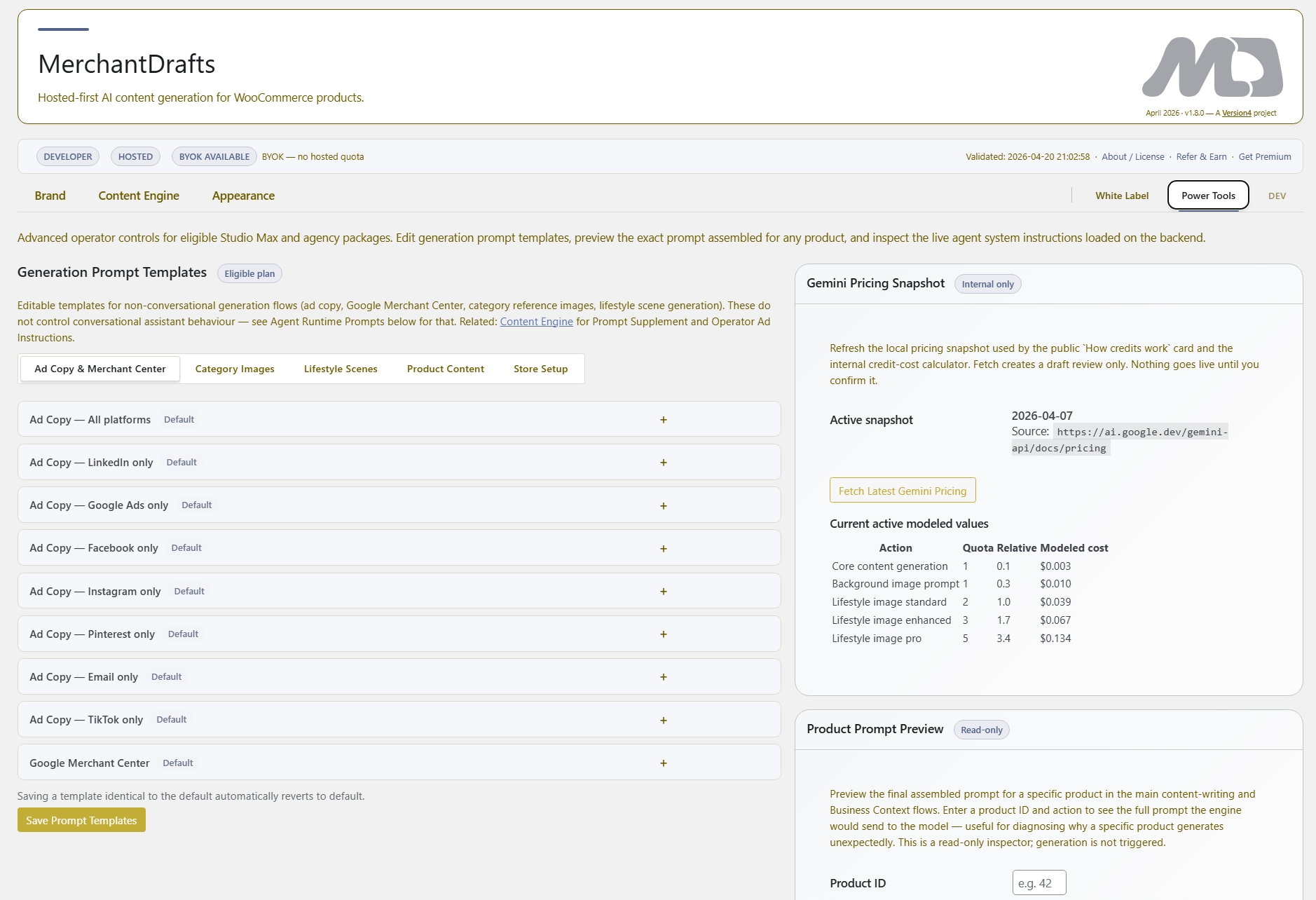
Open the Power Tools tab in MD Settings and edit the generation prompt templates that drive output for products, categories, and manufacturer pages.
02
Use the product prompt preview panel to see exactly what prompt the model receives — with your context layers assembled — before running any generation.
03
Run generation with your edited prompt templates active. The full workflow — review, approve, write back — continues exactly as standard, with your custom templates driving the output.
On this page
Power Tools gives advanced operators access to the generation templates that sit underneath Business Context, Writing Pattern, and the other context layers. Editing these templates changes what the model is asked to do at the instruction level — not just what context it receives. The prompt preview panel shows the assembled result before generation runs.
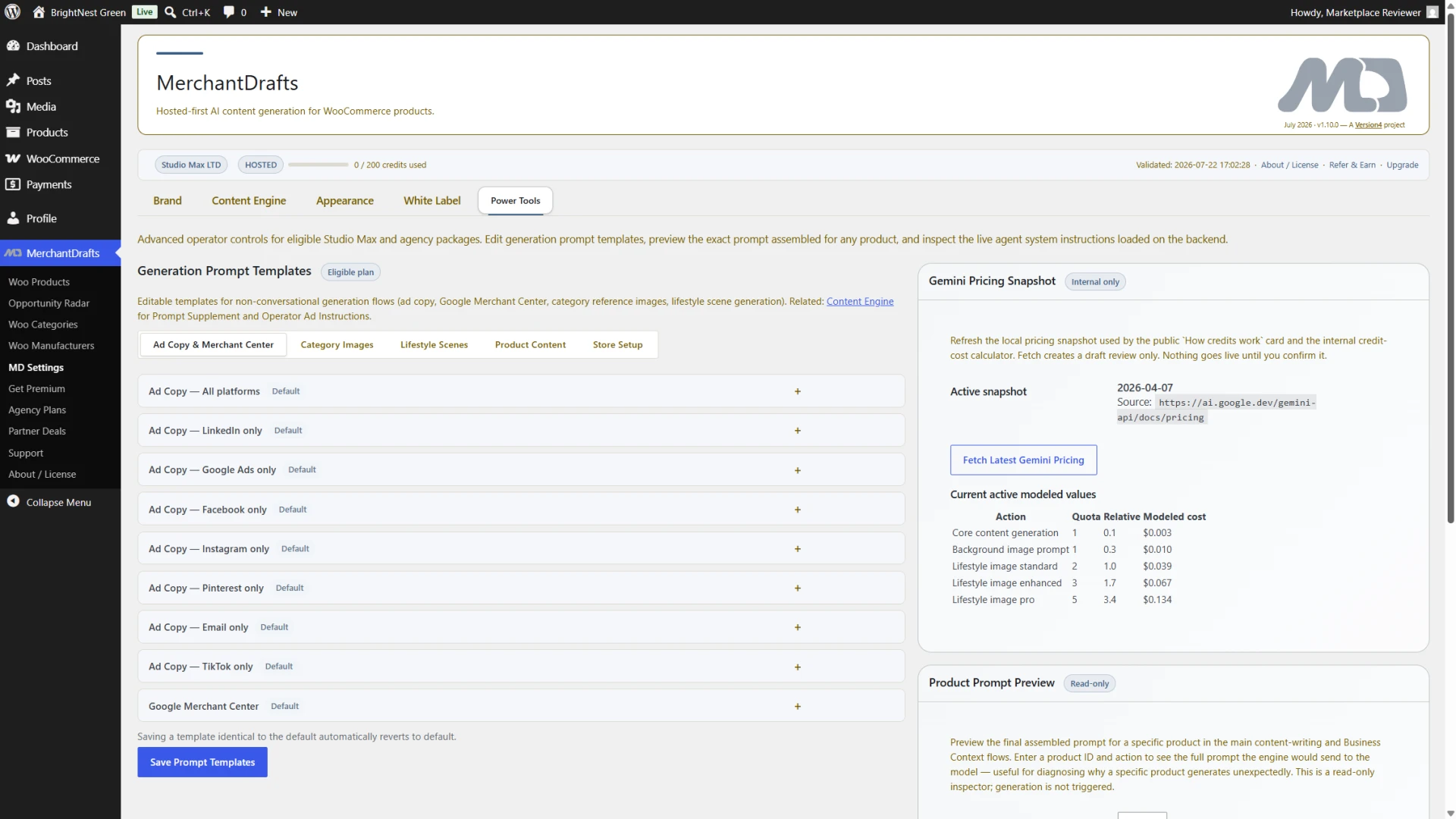
Prompt templates
Edit the prompt templates that instruct the model on how to generate content — across product, category, and manufacturer generation flows.
Prompt preview
See the full assembled prompt — template plus context layers — for a specific product before generation runs so you can validate the prompt before committing to a batch.
Pricing snapshot
Check model pricing information from the settings panel before running a large batch so cost estimates are visible at the point of decision.
Edit prompt templates across generation types — product content, category descriptions, manufacturer pages — each with their own template family tab.
Reference Business Context, Writing Pattern, Category Context, and other context layers as variables inside your custom templates so the prompt structure remains dynamic.
Select any product and preview the full assembled prompt before running generation so template edits can be validated without touching live content.
Power Tools is a plan-gated capability available on Studio Max, Agency Pro, and Agency White plans — not available on Starter or Studio.
Before
After
Default templates still apply when Power Tools is unused.
Power Tools adds an edit layer over the default generation behaviour. Operators who do not need custom templates can ignore it — everything continues to work on defaults.
Power Tools is for operators who have already set up Business Context and Writing Pattern and need to go deeper — editing the actual instruction structure of generation prompts rather than just the context the model receives.
01
Change the instruction structure of generation prompts — not just the context layers — so output behaviour can be tuned at the template level for operators who need precise control.
02
See exactly what prompt the model receives — with template and all context layers assembled — for any specific product before generation runs. Validate changes without running a live job.
03
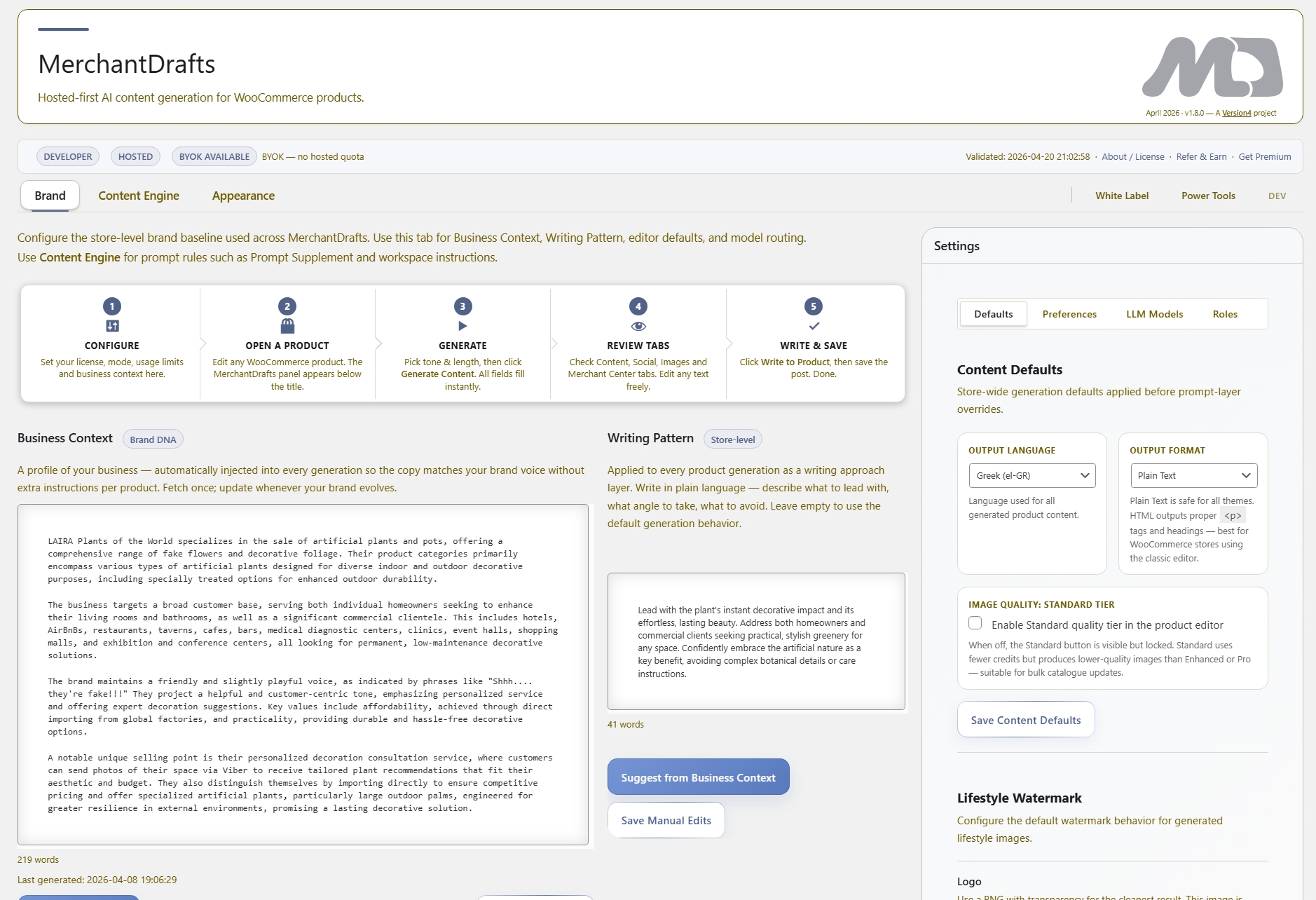
Reference Business Context, Writing Pattern, Category Context, and Manufacturer Description as variables inside custom templates so edits to context layers continue to flow through without re-editing templates manually.
04
Separate template families cover product content, category descriptions, and manufacturer pages — each editable independently so changes to one generation type do not affect others.
05
Power Tools edits the template layer that sits above Business Context and Writing Pattern — so context layers still apply, but the instruction structure they feed into is now operator-controlled.
06
Check model pricing from the Power Tools panel before running a large batch so cost visibility is built into the operator workflow rather than requiring a separate external lookup.
Custom prompt templates apply across every generation workflow in MerchantDrafts. These are the surfaces where the template edits take effect when generation runs.
Generate
Product content generation — the primary workflow where custom prompt templates take effect for product titles, descriptions, and metadata.
Generate
The context layer system that Power Tools templates reference — Business Context, Writing Pattern, Tone, Description Length, and product-level controls.
Operate
Batch product generation — where custom templates from Power Tools apply across the full filtered catalogue queue at once.
Advanced
The other advanced-plan capability alongside Power Tools — bring your own Gemini API key and remove MerchantDrafts branding for agency deployments.